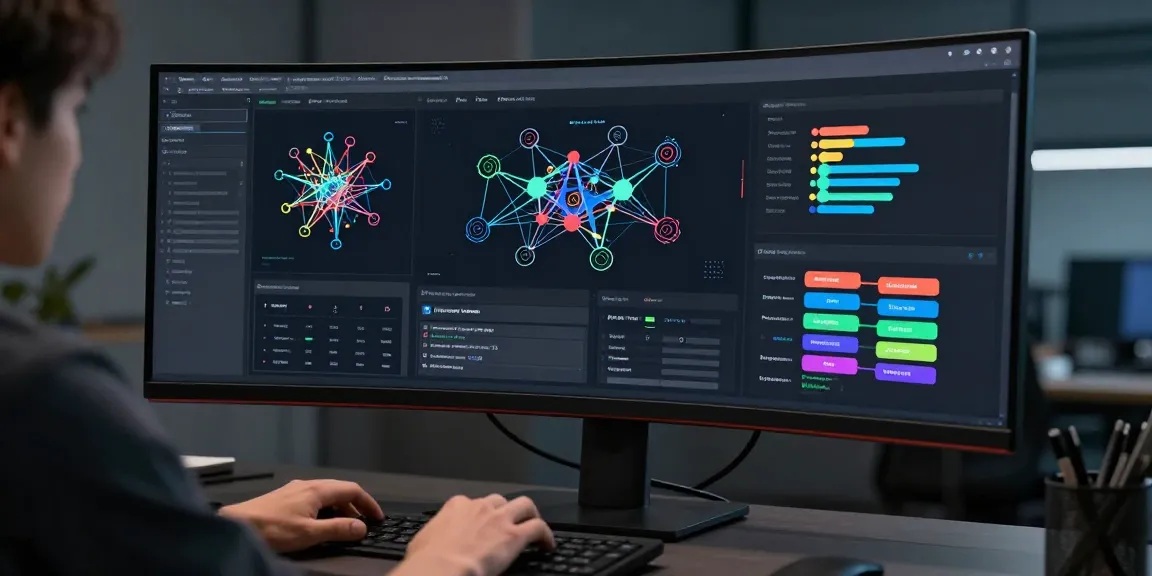
Understanding Klynt’s Core Features
What is Klynt?
Klynt is a dynamic digital content creation platform that empowers users to produce multimedia projects with ease. Whether you’re crafting interactive stories, engaging presentations, or immersive video experiences, Klynt offers a versatile toolkit that simplifies the production process. By combining ease of use with advanced features, Klynt serves as an essential resource for professionals across various industries, including education, marketing, and media.
Key Advantages of Using Klynt
Employing Klynt in your content creation strategy comes with several advantages. Firstly, its user-friendly interface allows even novices to navigate its features seamlessly, reducing the learning curve significantly. Secondly, Klynt supports a wide array of multimedia formats, enabling creators to integrate videos, images, and audio into cohesive projects. Lastly, its collaborative features facilitate teamwork, allowing multiple users to contribute and edit content in real time, enhancing project outcomes and accelerating delivery times.
How Klynt Stands Out in the Market
What sets Klynt apart from other digital content creation tools is its focus on interactivity and storytelling. Unlike many platforms that prioritize video editing or static presentations, Klynt enables creators to design rich, interactive narratives that engage audiences more deeply. Additionally, its advanced analytics tools provide valuable insights, helping users to optimize their projects effectively. Klynt’s commitment to continuous improvement and adaptation to emerging trends further solidifies its standing as a leading choice for content creators.
Getting Started with Klynt
Setting Up Your Klynt Account
To get started with Klynt, the first step involves creating an account. Simply visit the klynt website and follow the registration process. Users can select from various subscription plans tailored to different needs—ranging from individual creators to large teams. After confirming your account through email, you’ll gain access to the Klynt dashboard, where the fun begins.
Creating Your First Project
Once registered, creating your first project is a straightforward process. Klynt offers a guided setup to ensure you are familiar with the platform. Start by selecting a template that aligns with your project vision, whether it’s a simple video presentation or a complex interactive experience. From there, the intuitive drag-and-drop functionality allows you to add and arrange multimedia elements effortlessly. Remember to save your work frequently to safeguard against any unintended data loss.
Learning the Interface and Tools
Familiarizing yourself with Klynt’s interface is key to unlocking its full potential. The main dashboard includes tools for adding multimedia, editing content, and adjusting project settings. Key features include a timeline for synchronized media playback, a library for organizing assets, and various customization options for visuals and audio. Klynt also provides tutorials and help resources, ensuring even the least tech-savvy users can navigate the features with ease.
Optimizing Content with Klynt
Best Practices for Multimedia Projects
To optimize your multimedia projects, embrace best practices that enhance quality and viewer engagement. Firstly, prioritize high-quality visuals and audio elements. The clarity of your content significantly impacts user experience. Secondly, consider your audience’s preferences when structuring your narrative. Short, digestible segments tend to perform better in retaining user attention. Lastly, always test your projects on different devices to ensure compatibility and responsiveness across various platforms.
Enhancing User Engagement
User engagement is crucial for the success of any digital project. To enhance engagement in Klynt, utilize interactive features such as quizzes, polls, or call-to-action buttons that prompt viewer participation. Embedding links within your projects to other related content can further prolong user engagement by encouraging exploration. Additionally, leveraging storytelling techniques can create emotional connections with your audience, making them more likely to interact with your content.
Utilizing SEO Strategies with Klynt
Using Klynt effectively also means leveraging SEO strategies to boost visibility. Start by conducting keyword research relevant to your content and integrate these keywords naturally throughout your project’s text, titles, and descriptions. Employ alt-text for images and videos to enhance discoverability by search engines. Incorporating metadata and descriptions can also improve ranking in search results, attracting more viewers to your multimedia project.
Analyzing Performance Using Klynt
Understanding Analytics Tools
A significant advantage of Klynt is its built-in analytics tools, which provide comprehensive insights into viewer behavior and content performance. After launching your project, monitoring key metrics such as view counts, interaction rates, and drop-off points can inform your future content strategies. Familiarize yourself with the various analytics dashboards available in Klynt to harness the full potential of these tools effectively.
Measuring Content Effectiveness
Determining the effectiveness of your content involves analyzing the metrics gathered from Klynt’s tools critically. Consider not just the quantity of views but also the quality of engagement—how long did users stay on your project? Did they interact with the content? These insights can highlight areas for improvement, guiding you to refine your strategies and enhance the overall impact of your multimedia projects.
Tweaking Strategies for Better Outcomes
Based on the analytics insights, it’s essential to adapt and tweak your content strategies. If a particular aspect of your project performs poorly, consider reworking or replacing that section with more engaging content. A/B testing different versions of your project can also yield insights into what resonates well with your audience. Continuous improvement will lead to better outcomes and a more satisfied viewer base.
Common Challenges and Solutions
Overcoming Creative Blocks
Creative blocks can hinder the project development process. To overcome these, consider taking short breaks to refresh your mind. Engaging with other creators or viewing inspiring content within the Klynt community can spark new ideas. Setting specific goals for each session can also keep you focused and productive, breaking down larger tasks into manageable pieces.
Managing Team Collaboration
When collaborating with a team, communication is key. Establish clear roles and responsibilities to ensure everyone knows their tasks. Utilize Klynt’s collaboration features to share updates and feedback. Regular check-ins can facilitate ongoing dialogue among team members, fostering a harmonious work environment that nurtures creativity and productivity.
Staying Updated with Trends
The digital landscape is ever-evolving, and staying updated with the latest trends is crucial for maintaining relevance. Follow industry blogs, webinars, and forums to learn about emerging technologies and methods. Participating in workshops or joining online communities related to Klynt can also expose you to innovative practices and fresh ideas that can be applied to your projects.